반응형
반응형
반응형

맥에서 메일 앱 사용시 한메일 계정 추가하기 위한 설정


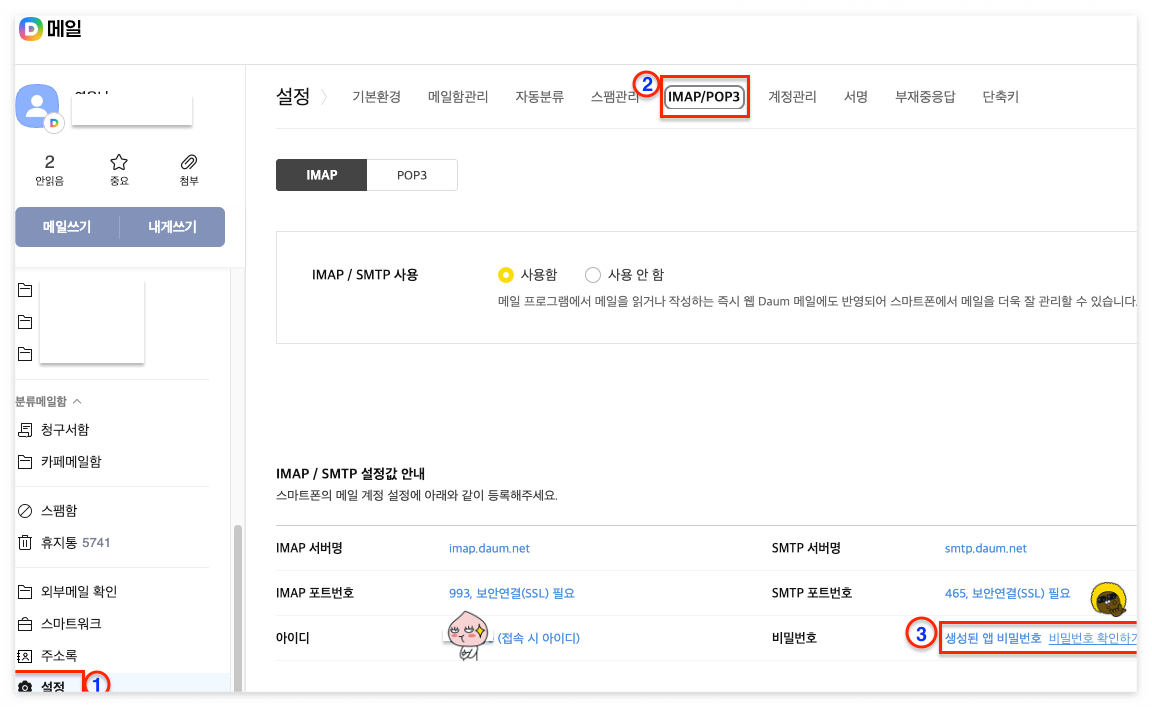
1. 다음(www.daum.net) 메일 설정 메뉴

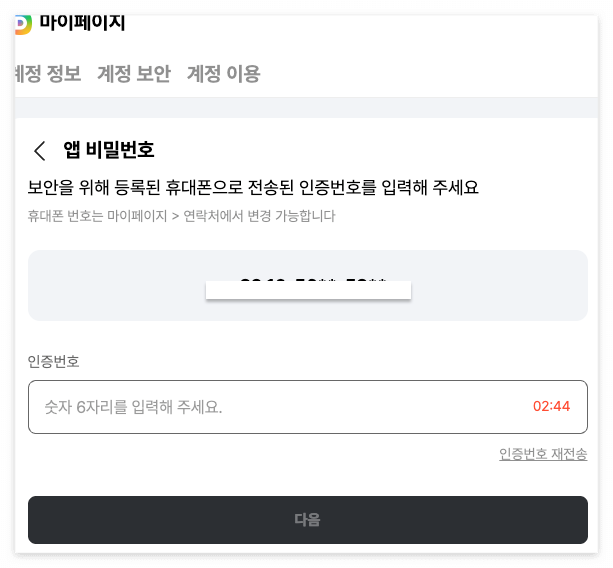
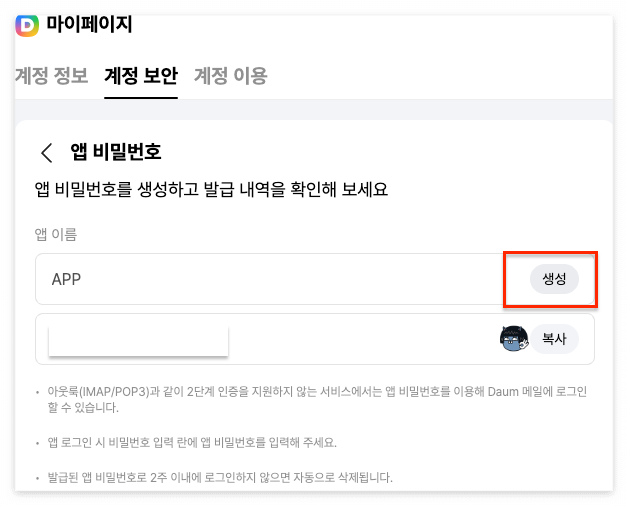
 - IMAP/POP 사용을 위해서는 로그인 비밀번호가 아닌 앱 비밀번호를 별도로 설정해야 한다.
 

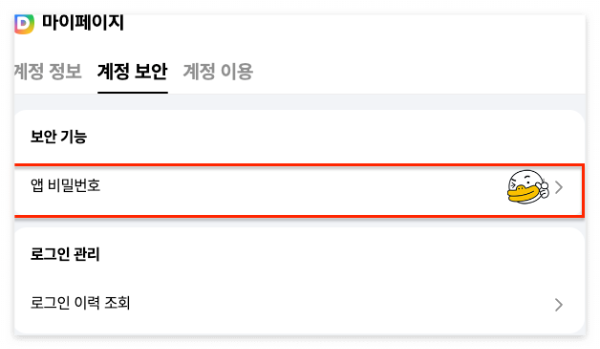
2. 앱 비밀번호 설정
반응형

'OS > Mac OS X' 카테고리의 다른 글

[iTerm] 유용한 사용법  (0) 2026.03.03
숨김 파일 표시하기  (0) 2026.03.03
아이폰 백업 파일 위치  (0) 2026.03.03
[링크] macOS Monterey 에서 로컬 웹 서버 띄우기.  (0) 2022.05.25
맥북에서 메일 콘텐츠 위치.  (0) 2018.04.10
반응형


Command + ; : 명령행 자동완성

Command + shift + h : 클립보드 이력

반응형
반응형


숨김 파일 표시하기.(다시 숨길때에는 false 설정하고 Finder 시작)

 - $ defaults write com.apple.finder AppleShowAllFiles -bool true

 - $ killall Finder

반응형
반응형


아이폰 백업 파일 위치

 - Library/ApplicationSupport/MobileSync/Backup


반응형
반응형


Github 에서 소스를 clone 하는데 아래와 같이 에러가 발생했다.

remote: Support for password authentication was removed on August 13, 2021.
remote: Please see https://docs.github.com/get-started/getting-started-with-git/about-remote-repositories#cloning-with-https-urls for information on currently recommended modes of authentication.
fatal: Authentication failed for 'https://github.com/...../'


내용인즉슨...

GitHub에서 2021년 8월 13일부터 HTTPS를 통한 비밀번호 인증을 더 이상 지원하지 않는다는 것이다!!

대신 **Personal Access Token (PAT)**을 사용해야 한다고 한다!


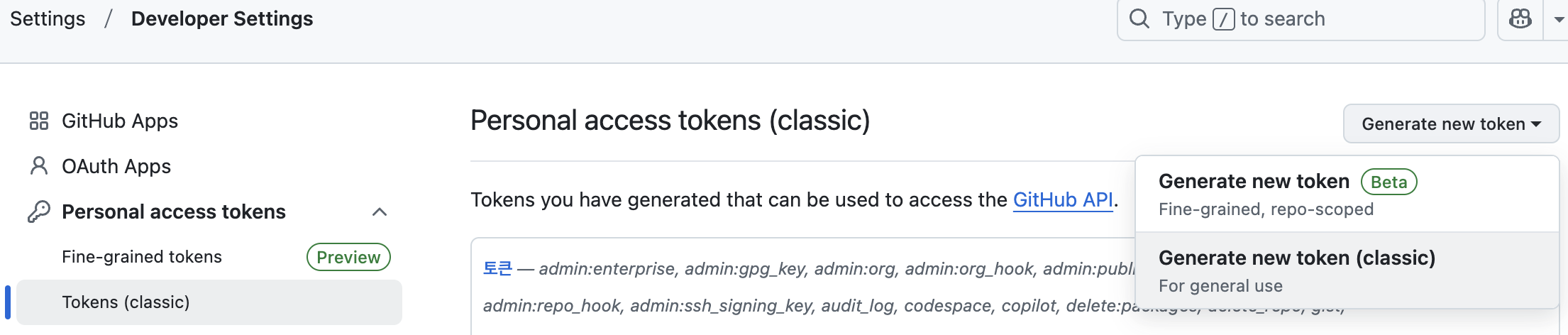
Github 내 프로필의 설정에서 토큰을 발급 페이지

- Settings > Developer Settings

https://github.com/settings/tokens


GitHub · Build and ship software on a single, collaborative platform

Join the world's most widely adopted, AI-powered developer platform where millions of developers, businesses, and the largest open source community build software that advances humanity.

github.com


Generate new token(classic) 메뉴를 클릭해서 토큰을 생성


Select scopes 은 아래와 같이 설정


결론

 - 비밀번호 대신에 토큰을 입력하면 된다!!!


반응형

+ Recent posts